
Sending a file to a client from a script
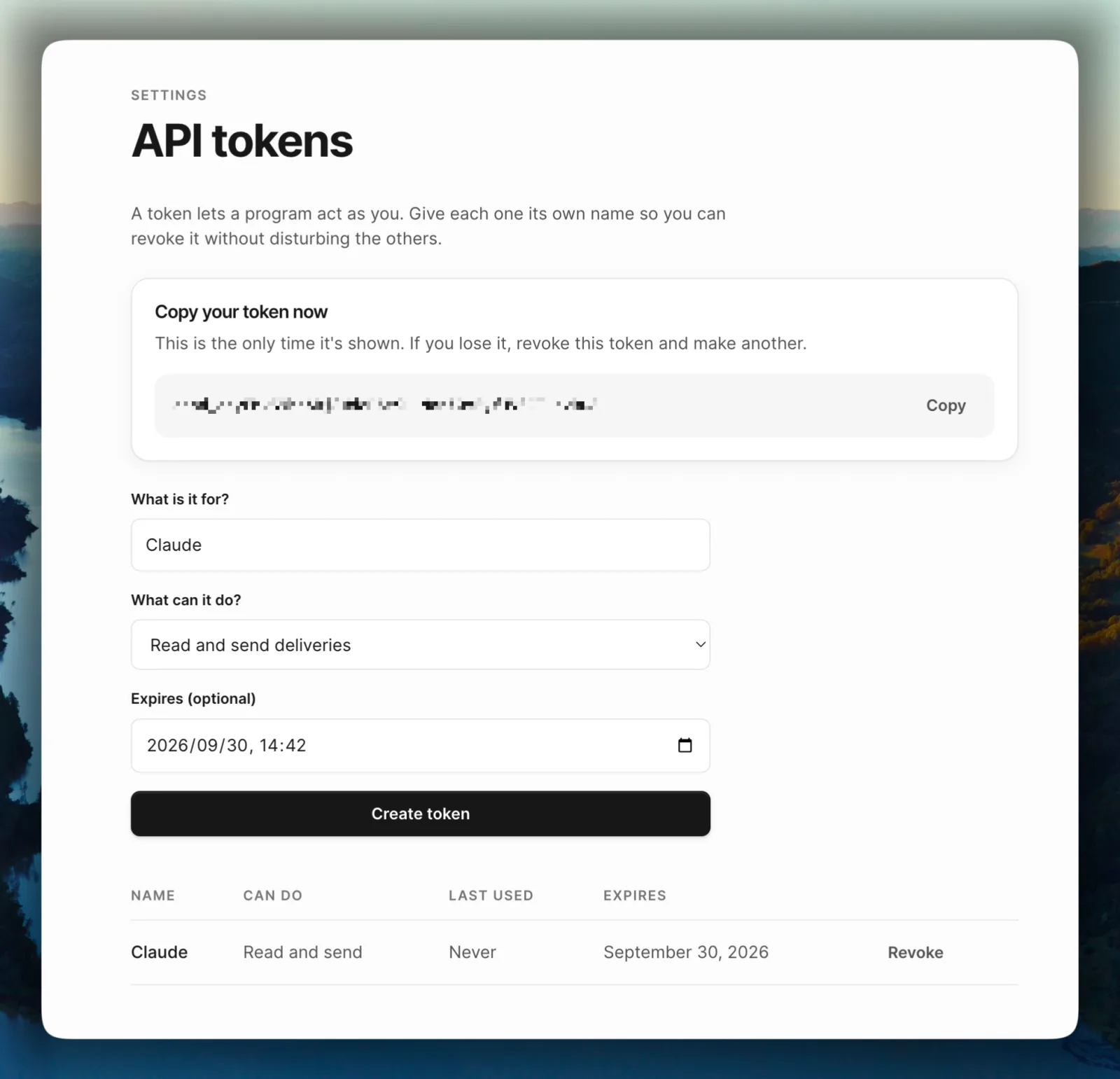
Campsend could send a file from Claude before it could send one from a shell script.
That's a strange place to end up. The tools were already there: create a delivery, list what you've sent, read one back. But they only spoke MCP, which is JSON-RPC, and a shell script doesn't speak JSON-RPC. Neither does Zapier.
There was a second problem underneath it. Uploading a file read your browser session, so a token could send files that were already in your account but couldn't put a new one there. An API that can only send what a human uploaded by hand isn't much of an API.
Both are fixed. Here's what sending a file looks like now.
Getting a token
Create one on the API tokens page. You'll see it once.
A token either reads, or reads and sends. On the tokens page those are labelled "Read deliveries" and "Read and send deliveries". If you're wiring up something that only needs to check whether a file was opened, give it a read token and it can't send anything by accident.
Three calls
Sending a file is (1) reserve the upload, (2) put the bytes at the URL you get back and (3) send the delivery.
The middle step is the one people don't expect. The bytes go straight to object storage and never pass through Campsend's servers. That's why a 15 GB file doesn't hold a request open for an hour.
Reserve the upload
Tell Campsend the filename, the size in bytes, the content type and the base64 MD5 of the file.
MD5=$(openssl dgst -md5 -binary cut.mov | base64)
SIZE=$(wc -c < cut.mov | tr -d ' ')

curl -X POST https://campsend.app/api/v1/direct_uploads \
  -H "Authorization: Bearer $CAMPSEND_TOKEN" \
  -H "Content-Type: application/json" \
  -d "{\"blob\":{
        \"filename\":\"cut.mov\",
        \"byte_size\":$SIZE,
        \"checksum\":\"$MD5\",
        \"content_type\":\"video/quicktime\"
      }}"
You get back a file id, which you need for the third call, and a direct_upload object holding the upload URL and the headers to send with it.
Put the bytes
curl -X PUT "$UPLOAD_URL" \
  -H "Content-Type: video/quicktime" \
  -H "Content-MD5: $MD5" \
  --data-binary @cut.mov
Send the headers from the reservation, unchanged. A 204 with no body means it worked.
Send the delivery
curl -X POST https://campsend.app/api/v1/deliveries \
  -H "Authorization: Bearer $CAMPSEND_TOKEN" \
  -H "Content-Type: application/json" \
  -d '{
        "recipient_email":"[email protected]",
        "file_ids":[148],
        "message":"The final cut."
      }'
Campsend emails the recipient a link that works for 30 days and then stops on its own. One delivery takes up to 20 files. You can pass a slug for a readable link, or a scheduled_at to send it later instead of now.
Finding out whether they opened it
Checking is the part worth automating, and it's one call.
curl https://campsend.app/api/v1/deliveries/$DELIVERY_IDENTIFIER \
  -H "Authorization: Bearer $CAMPSEND_TOKEN"
The response carries an events list with the times the delivery was sent, first opened and first downloaded. So a nightly job can tell you which clients haven't looked at what you sent them, without you opening a browser.
What it costs
API access and MCP are on the free plan, the same as the paid ones.
The limits are 120 delivery requests an hour per token and 60 upload reservations an hour. Your plan's own limits apply too: how many deliveries a month, how large one delivery can be and how much storage you have.
What isn't there yet
No webhooks. If you want to know the moment something is opened, you poll.
No revoking or deleting a delivery over the API. You can do both in the browser.
Listing takes a limit and a status filter, nothing else. There's no cursor, so 100 is the most you can pull at once. You can't page past that at the moment, and it's something we're working on.
Self-hosting
The whole API is in the open-source repo under the MIT license, so the same three calls work against your own install with your own storage. The API reference covers every endpoint, and the self-hosting docs cover running one.
The assistant integration got built first because it was the more interesting problem. The shell script is the one people are actually going to use.
Campsend for developers has the rest: tokens, scopes and what the MCP server exposes.