
How to know if a client downloaded a file
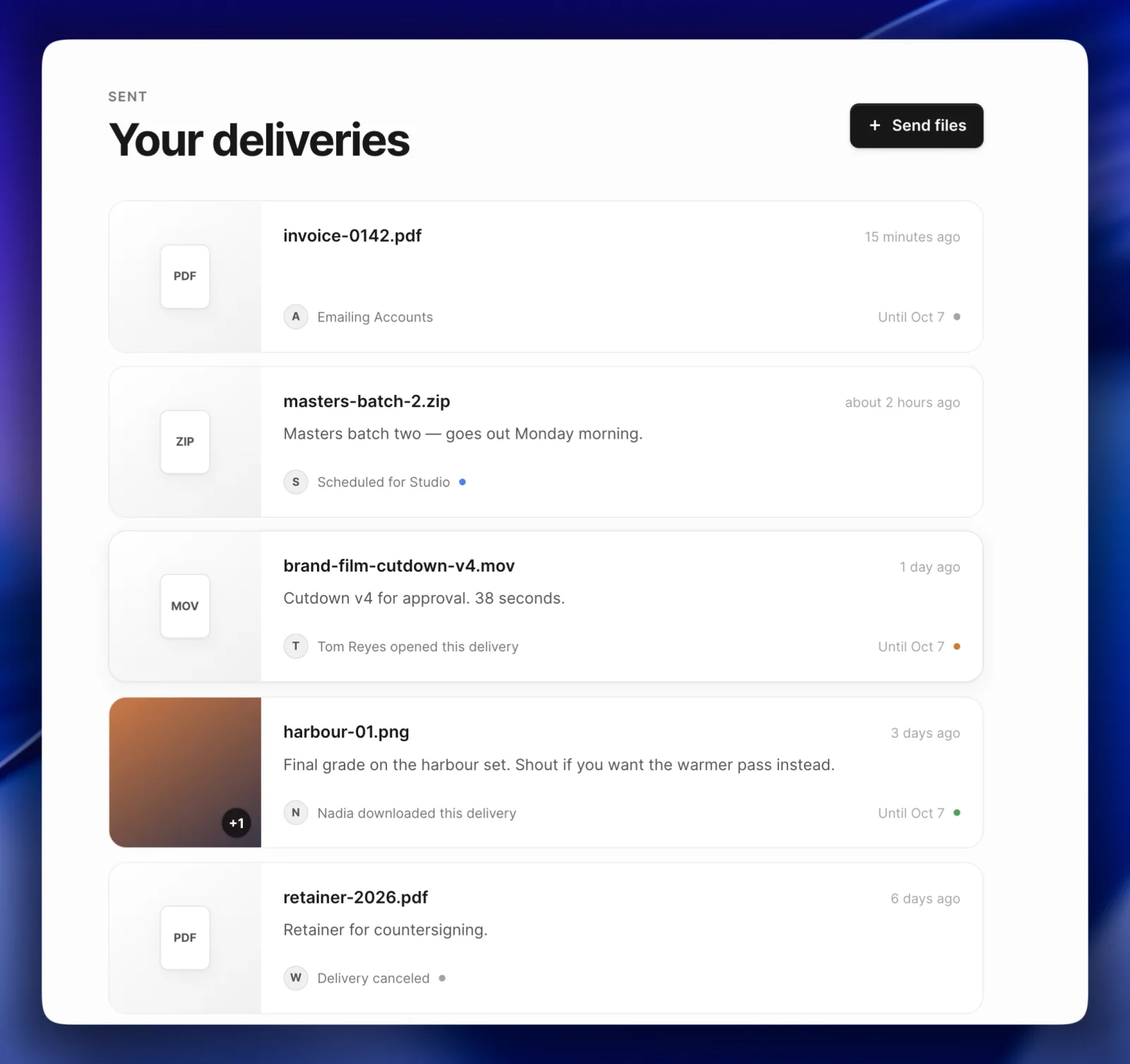
You sent the files on Tuesday. It's Thursday, nobody has replied and you're deciding whether to write the email that asks whether they arrived.
Whether you can find out without asking depends on how you sent them.
An email attachment tells you nothing
The message leaves your outbox and that's the last of it. A read receipt asks the recipient's mail software to confirm the message was opened, and most either ignore the request or ask the recipient whether to answer it. It reports on the message. The attachment isn't part of it.
Drive and Dropbox keep a panel you have to open
Google Drive records activity per file, and views appear there. You go and look, one file at a time. What it shows for somebody outside your organization depends on their account and their settings.
Dropbox reports views on shared links on its paid plans. You visit a panel there too, and it counts whoever opened the link.
WeTransfer emails you when the link is used
WeTransfer emails you when a transfer is downloaded. That's the most direct answer of the four.
What it tells you is that the link was used. A transfer link works for anyone holding it, so your client forwarding it to their developer produces the same email as your client downloading it.
The question underneath
Most people searching this want to know whether one particular person has the work, so they can stop waiting and start the next thing. A count from a link that anyone can open answers a different question.
Two things have to be true before the record means anything. The link has to belong to one person, and the answer has to be somewhere you'll see it.
How Campsend answers it
A Campsend delivery is addressed to one email address, so an open means that person opened it. Campsend records when the delivery was sent, when it was first opened and when a file was first downloaded, then shows all three with times next to the delivery on your Sent page.
What download tracking records covers each of the three and where to find them.
What it won't tell you
The record covers the first open and the first download and nothing after. Campsend sends you no email when either happens, so the answer sits there until you go and look.
A download isn't approval either. What you learn is that the files reached the person you sent them to, which is the part that used to cost an email and two days.
If you're choosing a tool for this rather than checking on one delivery, client file delivery covers what a delivery carries and when a shared drive suits you better.
Or send a file and watch the three lines fill in.